
Introduction
Ever felt like your home could use a little more smarts, but not sure how to get started? You’re not alone. Many homeowners want to embrace the convenience and efficiency of a smart home, but the cost of fully upgrading everything can be overwhelming. The good news is, there are plenty of DIY smart home projects that can save you money, both upfront and over time. From lighting solutions to energy-saving hacks, you can take control of your home without breaking the bank.
Let’s dive into some practical DIY projects that bring smart technology into your home and save you cash.
1. Smart Lighting: Light up Your Savings
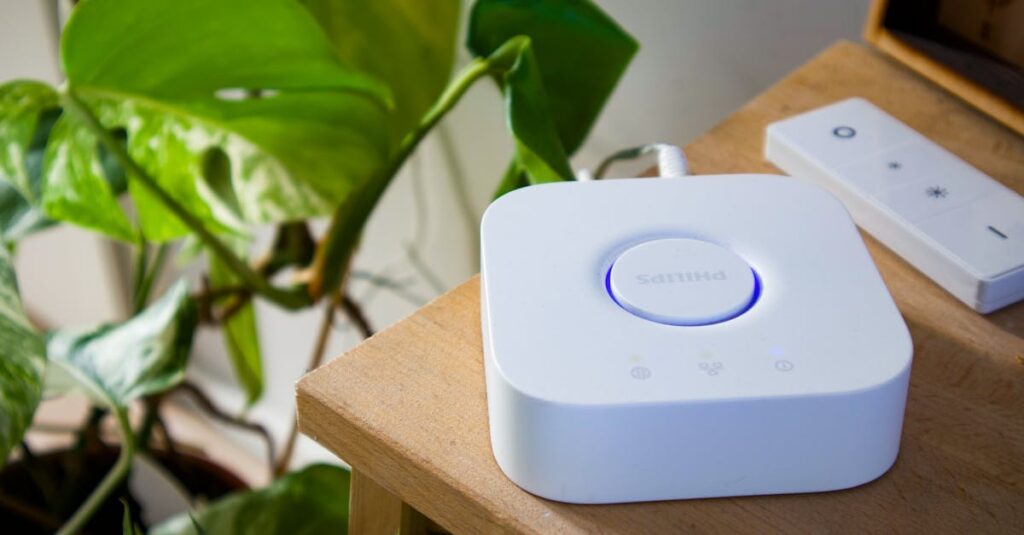
When it comes to affordable smart home upgrades, smart lighting is one of the easiest places to start. Traditional incandescent bulbs are energy hogs, using far more power than necessary. But with smart bulbs, you get to control brightness, color, and even set schedules, all while saving money on your electric bill.
For example, I recently swapped out all the lights in my kitchen with Wi-Fi-enabled bulbs. Instead of leaving the kitchen lights on all day (because, let’s face it, I’m not always the most mindful about turning them off), I programmed them to turn off automatically after 30 minutes. These bulbs aren’t just energy-efficient; they’re also more durable than regular bulbs, lasting much longer. My electric bill? Much lower.
If you don’t want to replace every light in your home, you can start small. Pick a room you use frequently, like the living room or bedroom, and try a smart bulb there. Apps like Alexa, Google Assistant, or the bulb’s own app can give you total control.
How to Get Started
- Buy a few smart bulbs (LIFX, Philips Hue, and TP-Link are solid options).
- Set up the app on your phone and connect the bulbs.
- Experiment with settings, dim the lights, change colors, or set timers to automate your lighting.
2. Smart Thermostat: Save on Heating and Cooling
If you’re looking for a way to save even more on your energy bills, a smart thermostat is a game-changer. Heating and cooling make up a large chunk of most households’ energy consumption. But with a little automation, you can adjust temperatures based on your schedule, without needing to constantly tweak the dial.
Take the case of my friend Sarah. She had an old thermostat that she never really used to its full potential. It was either too hot or too cold in her house, and she was always adjusting it manually. After upgrading to a smart thermostat, Sarah noticed a huge drop in her energy consumption. It learned her preferences, adjusting the temperature when she was at work or asleep, which meant her HVAC system wasn’t running unnecessarily.
The initial cost of a smart thermostat like the Nest or Ecobee can seem a little steep, but it quickly pays for itself in savings. Some studies suggest you can save anywhere from 10-12% on heating and cooling costs, which adds up over time.
How to Get Started
- Choose a smart thermostat that works with your HVAC system (Nest, Ecobee, and Honeywell are top brands).
- Install the thermostat following the manufacturer’s instructions or look for installation guides online (it’s usually pretty easy!).
- Download the app and connect it to your Wi-Fi. Customize the temperature schedule based on your daily routine.
3. Smart Plugs: Make Your Appliances Work for You
Ever wonder if you left the coffee maker on, or the fan running in your guest room? Smart plugs are your solution. These small devices plug into your outlets and allow you to control almost any appliance remotely, whether it’s your lamps, fans, or even your coffee maker. The best part? They don’t require a whole new appliance investment; you can turn anything you already own into a smart appliance.
For example, I use a smart plug for my space heater in the winter. Instead of leaving it on all day and wasting energy, I set the plug to turn it on only when I’m home and need it. I can even control it with my phone while I’m on the way back from the gym.
Smart plugs can also help with eliminating “phantom” energy consumption, appliances that suck energy even when turned off. A simple plug-in device can help you cut out these hidden energy costs.
How to Get Started
- Pick up a few smart plugs (brands like Kasa, Wemo, or Amazon’s Smart Plug are great).
- Plug them into your outlets and then plug in your appliances.
- Use the app to control your devices, or set schedules to turn them off when not in use.
4. DIY Motion Sensors: Smarter Security, Lower Costs
Smart security systems can be pricey, but with a little DIY effort, you can create your own budget-friendly setup. Motion sensors are a great place to start, install them at your doors, windows, or hallways to detect motion when you’re not home. Many motion sensors can be linked to your smartphone, so you’ll get a notification if someone’s at your front door. Some even integrate with smart lights to automatically turn them on when someone enters a room.
One of my favorite projects was adding motion sensors to the hallway light. Now, when anyone walks through the hallway at night, the light automatically turns on. No more fumbling for light switches in the dark, and no more wasting electricity when no one’s around.
If you’re a little crafty, you can even install motion sensors outside to enhance your home’s security. Whether you’re looking for a simple indoor upgrade or a whole-home security system, motion sensors are an easy, cost-effective solution.
How to Get Started
- Buy a set of DIY motion sensors (look for brands like Ring, Philips Hue, or Wyze).
- Install the sensors in areas where you want to automate lighting or security.
- Link the sensors to your smart hub or app for alerts and control.
5. DIY Smart Irrigation: Water Your Lawn the Smart Way
If you have a garden or a lawn, watering can become a time-consuming, and costly, task. A DIY smart irrigation system can help you save water, money, and effort. These systems can be programmed to water your plants at specific times, in specific amounts, and even based on weather forecasts. So, no more over-watering or forgetting to turn the hose off!
I set up my own smart irrigation system last year. It uses a simple Wi-Fi-connected timer and moisture sensors in the garden bed. Now, my plants get exactly the right amount of water, no more, no less. Not only has my water bill dropped, but my plants are thriving too. It’s a win-win!
How to Get Started
- Invest in a smart irrigation controller (look for ones like Rachio or Orbit).
- Install it by connecting it to your outdoor irrigation system and Wi-Fi.
- Set up watering schedules based on plant types, weather, and soil moisture.
Conclusion: Small Changes, Big Savings
The beauty of DIY smart home projects is that they allow you to customize your space and improve efficiency at your own pace. While there’s an initial investment in smart technology, the long-term savings are worth it. Whether it’s cutting back on energy consumption, enhancing your home security, or saving water, these projects can lower your bills while boosting convenience.
So, start small, pick one project to tackle first. From there, you can gradually build a smarter home that works for you and your budget. Who knew that saving money and going high-tech could go hand in hand?